Client background
Healthtec is a Queensland-based manufacturer and supplier of medical furniture, specialising in massage tables, paediatric chairs, and other clinical equipment for healthcare professionals.
Its workforce is split between onsite and remote staff, and both groups need the same files, the same applications, and the same access to equipment on the office network. Healthtec needed one centralised IT environment to support that.
The challenge
Distributed staff, mixed device use, and the need to reach onsite appliances from anywhere created five connected problems.
01
Fragmented data storage
Files were stored across multiple staff devices, creating inefficiencies and a real risk of data loss.
02
Remote connectivity
Staff needed secure access to company resources, including onsite devices like 3D printers and office printers.
03
Reliability and uptime
Dependence on individual computers meant downtime or a device failure directly cost productivity.
04
Collaboration needs
Staff required consistent access to Microsoft 365 apps and OneDrive for file sharing and document management.
05
IT management
Maintaining multiple endpoints with differing configurations was resource-intensive and harder to secure.
Before
Staff device
Own files, own configuration
Staff device
Own files, own configuration
Staff device
Own files, own configuration
Staff device
Own files, own configuration
Onsite 3D printers and office printers — no secure route in for remote staff
The solution
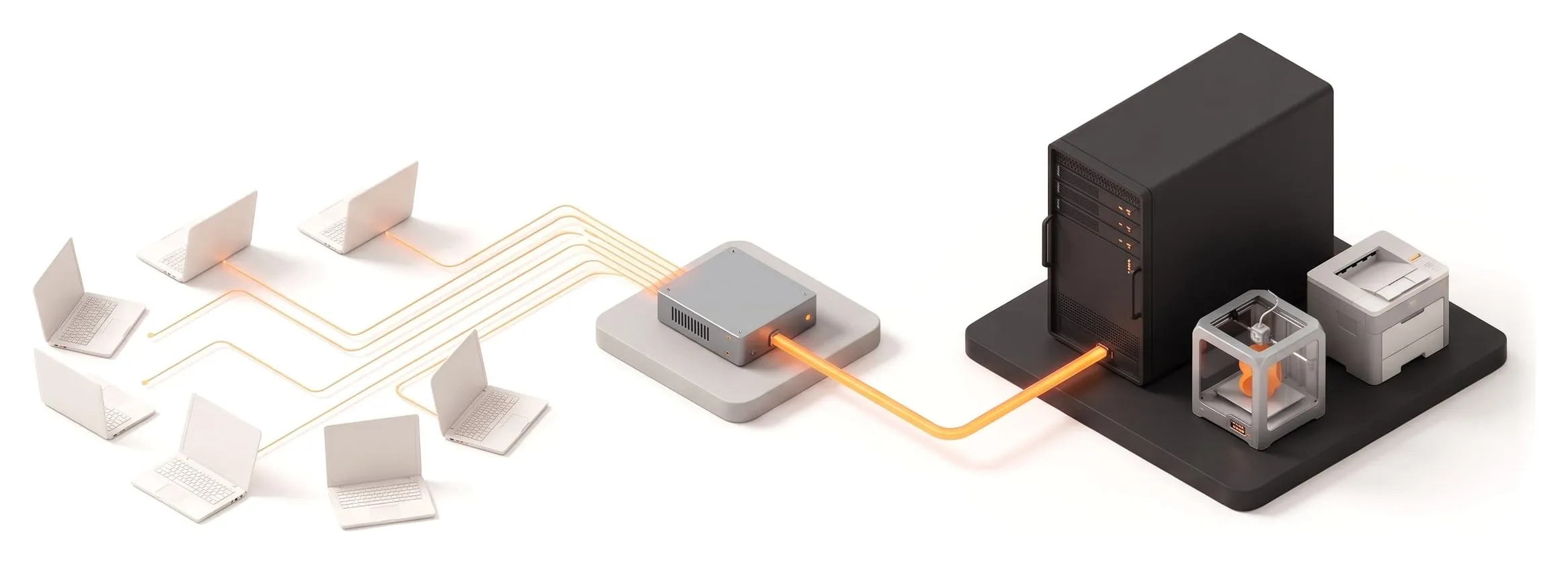
JTIT designed and implemented a centralised, server-based environment, underpinned by secure connectivity and modern collaboration tools.
After
Remote staff
Any device, any location
Onsite staff
Same workspace, same files
pfSense firewall
VPN access for remote staff
Windows Server 2019 VM
One shared workspace, centralised logins, one place to patch and back up
3D printers
Office printers
Microsoft 365 — OneDrive storage and desktop apps on every account
Centralised infrastructure
We deployed a Windows Server 2019 virtual machine as the single workspace environment for all staff, with server resources configured to balance performance, scalability, and availability. Updates, backups, and security now happen in one controlled environment instead of on every endpoint.
Secure connectivity
A pfSense firewall provides VPN access for remote staff. The VPN reaches not only the Windows server but also onsite resources, including the 3D printers and standard office printers, so remote staff can use the same equipment as the team in the building.
Productivity and collaboration
Microsoft 365 accounts were rolled out across the workforce, providing OneDrive storage and the desktop applications. Files and apps are accessed through the centralised server, so the experience is the same regardless of which device a staff member picks up.
Reliability and continuity
Centralising logins and workloads removed the reliance on individual staff computers. A failed laptop no longer takes someone’s work with it. The environment has delivered near-continuous availability, at roughly 99% uptime since deployment.
Outcomes
01
High availability
Business operations continue with minimal downtime thanks to server-based access, at roughly 99% uptime.
02
Simplified IT management
A single virtual environment reduces administrative overhead and increases control.
03
Consistent user experience
Staff access the same applications and data environment regardless of device or location.
04
Secure remote work
VPN connectivity enables safe access to company data and onsite resources from anywhere.
05
Improved collaboration
Microsoft 365 integration keeps files and documents accessible, versioned, and shareable.
Architecture snapshot
| Layer | Technologies and notes |
|---|---|
| Compute | Windows Server 2019 virtual machine |
| Remote access | pfSense VPN for secure remote connectivity |
| Storage | OneDrive (Microsoft 365 accounts) |
| Productivity | Microsoft 365 desktop applications |
| Identity | Centralised server logins tied to user accounts |
| Onsite devices | 3D printers and office printers, reachable over the VPN |